Latest posts from Codename One.
Blog
Insights, release updates, tutorials, and engineering notes from the Codename One team.

Code Freeze for Codename One 7.0
At long last we’re entering code freeze for Codename One 7.0. This release cycle has been longer than it should have been because of many detours along the way. But finally if all goes according to plan, version 7.0 should be out next Friday. The code freeze won’t impact most of you as it’s mostly an artifact of our release cycle. We will have the regular Friday release but will only have critical reviewed commits during this week. Archived Comments This post was automatically migrated from the legacy Codename One blog. The original comments are preserved below for historical context. New discussion happens in the Discussion section. ...
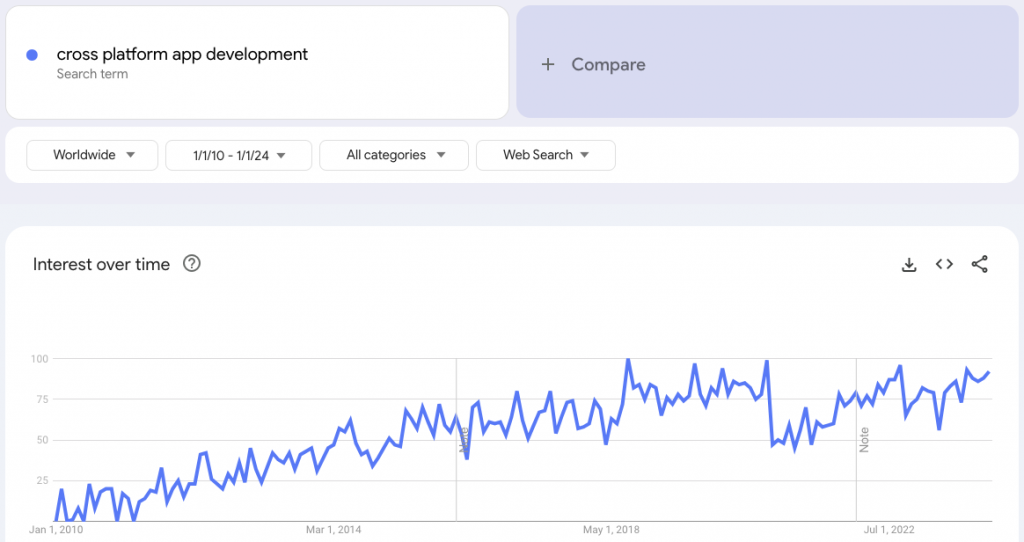
Top 10 Best Cross Platform App Development Frameworks in 2024
These top 10 best cross-platform app development frameworks in 2024 help app developers with code reusability, better ROI, easy maintenance and shorter time to market. With the rapid advancements in technology in today’s highly competitive digital sphere, developers are continuously on a hunt for app development tools or frameworks that can make their job easier and minimize app development time and cost. Consequently, now in 2024, you will see that an overwhelming amount of cross-platform app development frameworks have emerged to bridge that demand. The increased frequency of search queries can be seen by looking at Google trends’ indicators from 2010 to date. ...
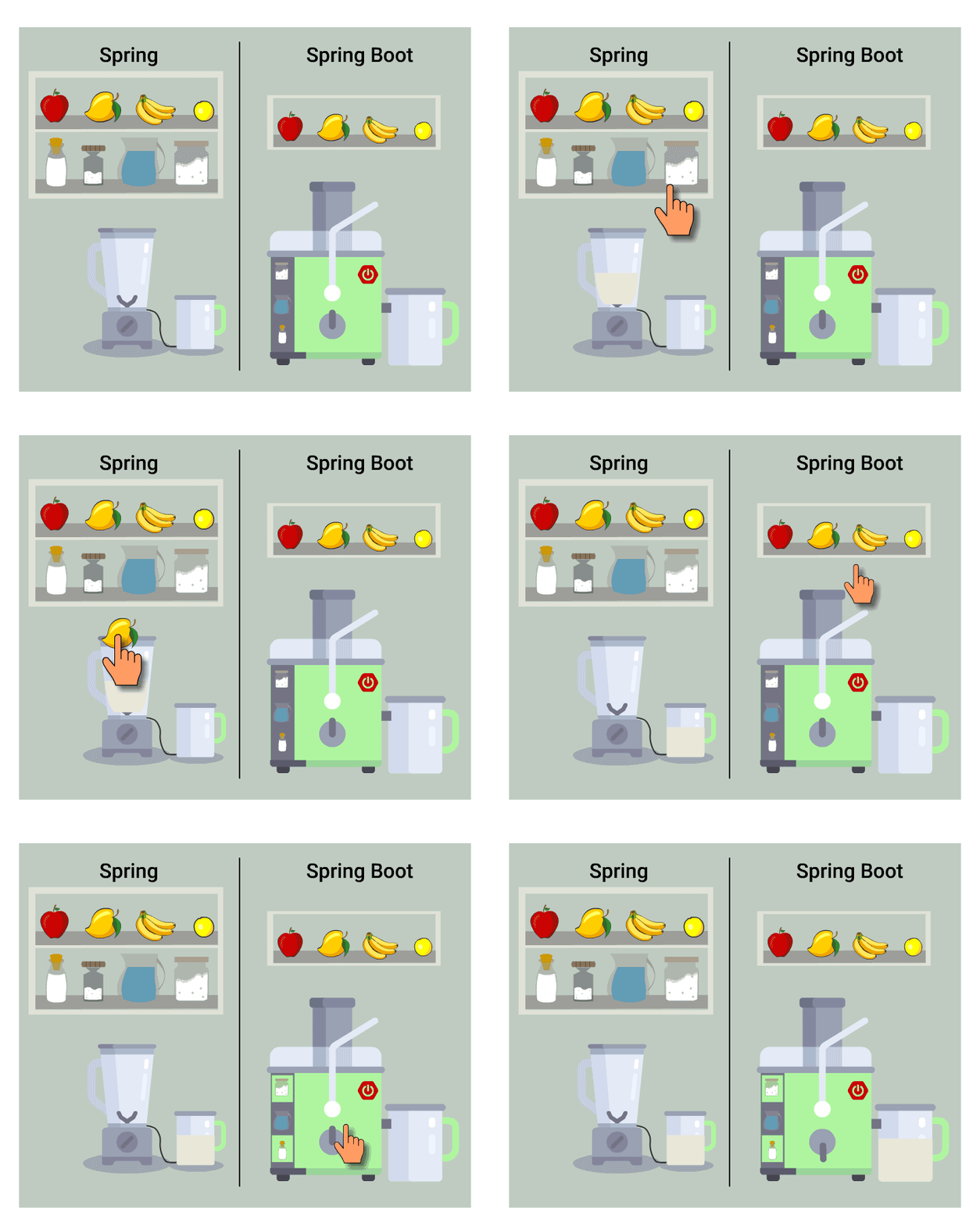
Why You Should Learn Spring Boot in 2021?
Spring Boot is an open source Java framework used to create micro services. Learn why you should learn Spring Boot in 2021? What is Spring Boot? Spring Boot is a lightweight framework for Java developers to develop stand-alone and production-grade spring applications that “just run”. Spring Boot shortens the Spring framework code length and provides you with the easiest way to develop an application with minimum configurations. You can call it a framework of framework as it supports many frameworks such as Hibernate, EJB (Enterprise Java Bean) etc. ...
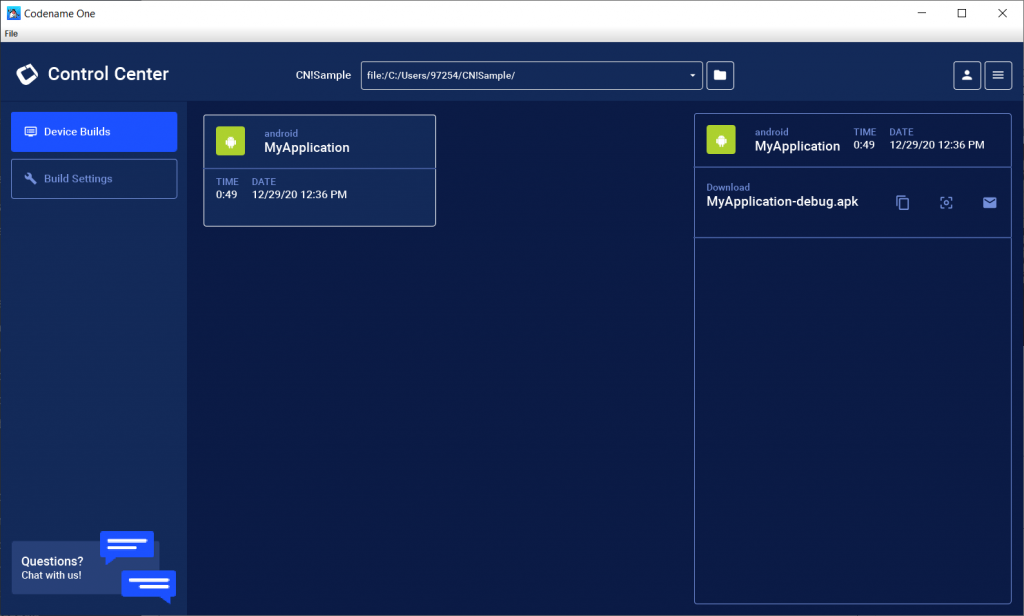
Codename One Control Center Desktop App
We have recently released a new tool named Control Center. Some of you may ask why have we released a new tool? You already have quite a few: IDE plugins, builds dashboard, preferences app, simulator, designer, GUI builder and more. Why? Well the main reason behind this new app is exactly because we have plenty of tools. The new Control Center App’s aim is to consolidate the many tools we have which will make your life easier and ours much easier to release updates and to introduce new features and support. ...

A Junior Software Developer’s Journey at Codename One
Hello Codename One community, my name is Sergey Gerashenko. I’m a junior software developer at Codename One. My journey here began 3 months ago when I passed my first interview at Codename One and my first task was to learn Java within 2 weeks. Learning Java I knew a few programming languages like Python, C and C++ but was unfamiliar with Java or managed languages beforehand. Learning a completely new language in just two weeks seemed like an impossible task at first because it took me around five months to learn C++. ...
Important: New Sign-In Behavior
Today, we are finally integrating the new Single-Sign-On to most of our tools. This means that you will need to create a new account using the login button in this site in order to use Codename One from now on. To make the migration easier, we tried to keep the existing login working as much as possible with the one notable exception of password reset which is no longer wired. So if you lose your password, you would need to migrate. ...

New Website, SSO & Payment Processing
Welcome to our new website. There are a lot of things that are still being worked on so please bare with us and let us know ASAP when something is broken. Comments are still disabled in the current site but we’ll import them and turn them on in the next few weeks. With the new website we’re migrating to a Single Sign-On solution based onKeycloak. This means login for this website will go through that system. Right now it’s disconnected from our existing Codename One Build login but we intend to unify everything under Keycloak and your account would merge seamlessly (assuming you used the same email address). ...
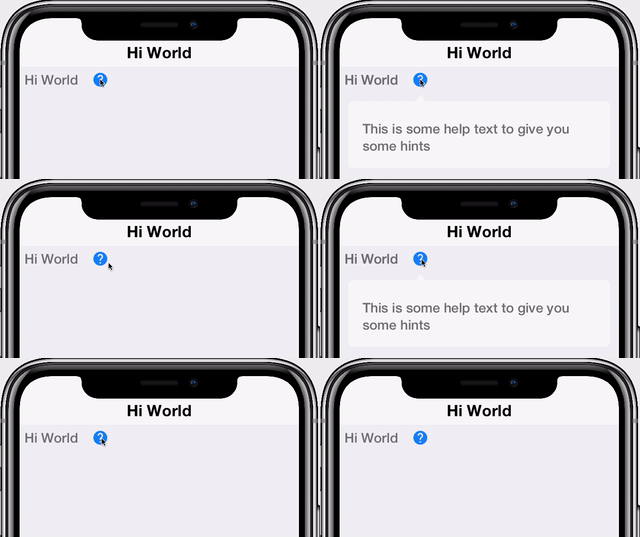
HELPBUTTON COMPONENT
This is the second is a series of blog posts hightlighting some of the components available in the CodeRAD cn1lib. The first post (or series of posts) introduced the RAD Chatroom component, a rich 2nd order UI component that encapsulates the user interface for a fully functional chat room. __ A second-order UI component is a complex UI component, usually composed of multiple basic components, which is designed for a specific type of application. Some examples of second-order UI components are login forms, contacts lists, chat room components, news lists, etc.. In this post I share a much simpler, first-order component: The HelpButton. The HelpButton is just a button that displays a “Help” or “Error” icon. When the user clicks on this button, it pops up with some “help” text. ...
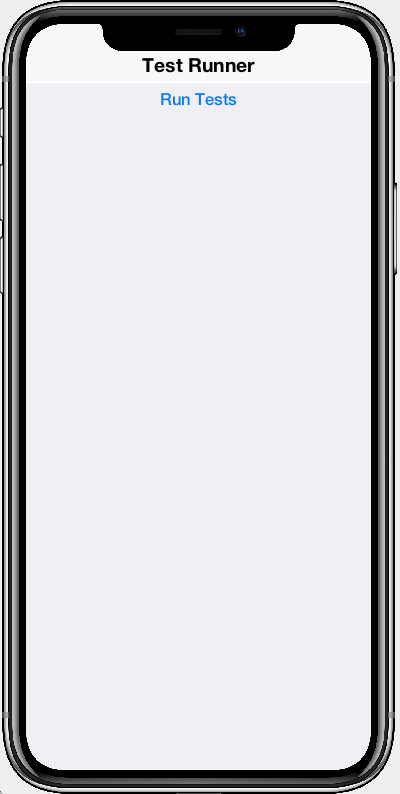
NEW TESTRUNNER COMPONENT
A while back we added a new TestRunnerComponent that provides a visual UI for running unit tests inside an app. Sometimes, while I’m developing unit tests, I find it easier to write them inside a regular app project instead of in the “tests” directory. This allows me to debug the unit tests in the IDE more easily, just like I debug regular apps. The TestRunner component makes it simple to do this. ...
SMARTER, FASTER RENDERING
We’ve recently added some new display settings, and a new method, revalidateLater(), which can significantly increase your app’s rendering throughput in some cases. Before I get to the specifics of these changes, let’s review how UI rendering works in Codename One. The Codename One UI rendering can be broken down into two phases: Layout – Calculating the bounds for each component on the screen, and “laying” them out. Painting – Actually drawing each component. Generally you only want to run the “layout” step when the layout has changed. This would include when components are added or removed from a Container, or when a component’s bounds or position has changed. ...

New Website Launch
Important update below. After a very long journey we will launch the new Codename One website on October 2nd. Since this will only deal with the website itself most things should still work as they did before. Thanks to the cloud dashboard the migration shouldn’t disrupt any users and should be 99% superficial. __ The launch will be delayed tentatively to October 9th but possibly even later One thing that might be impacted are website comments which we will need to migrate to a new system. Initially the new website will launch without comments which we will need to re-integrate. ...

Removing Old Dashboard
We announced a while back that we’re working on a new website. This work was 90% complete but we decided to scrap it in favor of a complete rewrite of the site. That means some links might break and some functionality might be impacted but this is a crucial change for the continued growth of the company. One thing that we plan to remove entirely is the old dashboard. It will be removed on September 18th in favor of the build cloud. Please let us know of any missing features or problems so we can address them in time for the migration. ...