Latest posts from Codename One.
Blog
Insights, release updates, tutorials, and engineering notes from the Codename One team.

Security Issues of Cross Platform Tools
A couple of weeks ago I answered a question on Quora about the security of cross platform tools. I try to rise about my confirmation bias when discussing these things. I won’t discuss Codename One in this context or any other specific tool. Only general ideas. Security depends a lot on the tools involved and their level of support for security features such as certificate pinning, storage/db encryption etc. Some tools also store the code of the app as plain text or obfuscated scripting code which is still fully readable, this can have a serious impact on security. ...

Moving to API Level 29 and CEF Update
Steve just updated our CEF support which should now work on all platforms. We updated the original post with additional information. We’ve also updated the build servers to use API level 29 on Android. The API level change should be seamless to most of you but might impact some edge case functionality and cause some native/cn1libs to fail in odd ways. So be sure to do extra checks on Android when building a new release. ...

New Settings UI
With today’s update we’re releasing a design overhaul for the settings (preferences) application. This overhaul will improve the look and reliability/consistency of this app which is core to Codename One. During this transition period we also have the ability to go back to the legacy UI for 100% compatibility but it will be removed. Common important features such as “Update Client Libs” are now available in the menu on the top right of the UI. The currently logged in user isn’t listed in the UI only in the about dialog. For most of the UI it doesn’t matter as much since we don’t change as much as we used to. E.g. we now let everyone create a push certificate. This is a pre-cursor to enabling push for everyone with a very low quota for free/basic users. ...

Big Changes and CEF
Today we released one of the biggest changes to Codename Ones simulator in ages. We added the ability to use CEF (Chrome Embedding Framework). This is currently off by default but even if you don’t use it you might feel the impact so it’s crucial that you read this post. __ Updated July 31st with additional platform instructions below __ Updated August 2nd with correction to the Linux install script __ Updated August 4th with another correction to the Linux install script The TL;DR The big change for those of you who don’t care about the details is this: FX will no longer install automatically if it’s missing. That might be a good thing for some applications. But if you rely on media/web things might break in the simulator/debugger. ...

Diagonal Badging
Recently I got a question on stackoverflow about doing a diagonal badge that’s actually quite similar to the one on our website. This isn’t hard to do in Codename One but it requires a bit of tinkering so here’s how you would implement that. As a matter of fact the original code I provided in the answer had a bit of a misbehavior which I’m fixing for this blog post so everything will look correct: ...

Exif Orientation Tag and Smart Downloads
On some devices, Capture APIs return images with the correct orientation, meaning that they do not need to be changed to display correctly; on other devices, they return images with a fixed orientation and an EXIF tag that indicates how they must be rotated or flipped to display correctly. More precisely, the Orientation Tag indicates the orientation of the camera with respect to the captured scene and can take a value from 0 to 8, as illustrated on the page Exif Orientation Tag. For testing purposes, you can download landscape and portrait images with all possible orientation values from the EXIF Orientation-flag example images repository. ...
Dark Mode
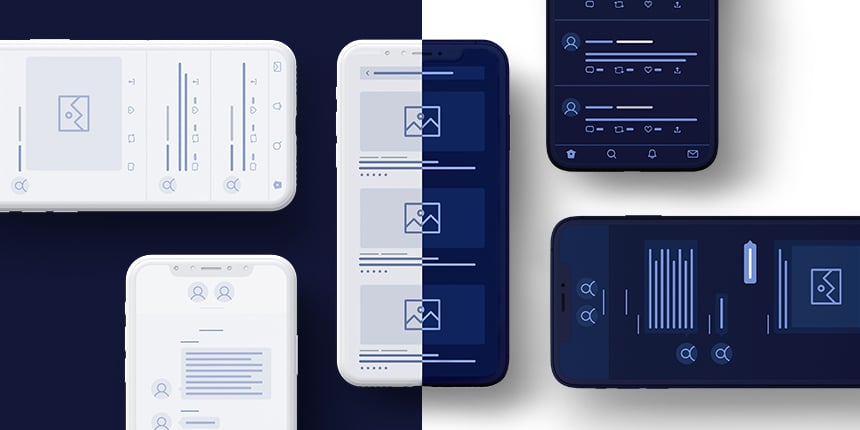
We recently added support to detect whether a device is running in dark/light mode based on this issue. Some of the code in the implementation is also derived from that issue submitted by Javier. Detecting Dark Mode Dark mode can be detected using APIs in the CN and Display classes. Specifically isDarkMode() and setDarkMode(Boolean). Notice that isDarkMode() returns Boolean and not boolean. This means that null is a valid value for this method. The case of null indicates that dark mode detection isn’t available or isn’t working on this platform. ...

Moving Away from Java FX
Codename One itself never depended on JavaFX. This kept us small and performant. However, we need JavaFX to support HTML and media in the simulator and on the desktop ports. This was a choice we made easily back in the Java 8 days. JavaFX was integrated into the official JDK and this was an easy choice to make. Then Java 9 came out and everything broke. Most JVMs ship without JavaFX now and downloading it dynamically for the simulator is error prone to say the least. Even I had problems setting up our environment on some foreign machines. Every day we need to deal with multiple support queries and people who have issues with VM configuration. 99% are due to the pain of dealing with JavaFX installation on top of the VM. ...

Samsung Lowers Resolution Randomly
A few weeks ago we got this question on stackoverflow. At first I didn’t think this issue was special… But as the investigation continued it became clear that we’re facing a weird issue… The issue started innocently enough. A device whose native resolution is high was rendering the UI in low resolution. This can happen because of a new DPI setting or configuration in a new SDK. But the odd thing was this: if the apps package name was changed the resolution went back to normal! ...

RAD Chat Room – Part 5
This is part 5 of the RAD Chatroom tutorial. You can find part 1 here, part 2 here, part 3 here and part 4 here. Adding A Photo Capture Feature Most messaging applications include the ability to add photos to messages. Let’s add this feature to our chat app now. First we’ll define a new action called “capturePhoto”, and add to the the TEXT_ACTIONS category of our view node. public static final ActionNode capturePhoto = action( icon(FontImage.MATERIAL_CAMERA) ); ... ViewNode viewNode = new ViewNode( actions(ChatRoomView.SEND_ACTION, send), actions(ProfileAvatarView.PROFILE_AVATAR_CLICKED_MENU, phone, videoConference), actions(ChatBubbleView.CHAT_BUBBLE_LONG_PRESS_MENU, likeAction), actions(ChatBubbleView.CHAT_BUBBLE_BADGES, likedBadge), actions(ChatRoomView.TEXT_ACTIONS, capturePhoto) __**(1)** ); __1 Added capturePhoto action to the TEXT_ACTIONS category so that it will appear as a button beside the text field. And we’ll also add a handler for this action, which will capture a photo, and emed the photo in a message that we will add to the chat room’s view model. ...

RAD Chat Room – Part 4
This is part 4 of the RAD Chatroom tutorial. You can find part 1 here, part 2 here and part 3 here. Adding More Actions So far we’ve implemented the basic requirements of a chat room. It can display messages, show particpants, and it allows users to send new messages. Now let’s go a step further and add some more actions. CodeRAD views like ChatRoomView allow for customization in a variety of ways, but the two primary methods are: ...

RAD Chat Room – Part 3
This is part 3 of the RAD Chatroom tutorial. You can find part 1 here and part 2 here. Adding Text Messages from Other Users Our current example only includes messages that the current user posted themself. I.e. We only have chat bubbles on the right-hand side of the view. Let’s add some more sample data to our view model to give us a feel for how a real chat will look. In the ChatFormController class, we’ll change the createViewModel() method as follows: ...