Latest posts from Codename One.
Blog
Insights, release updates, tutorials, and engineering notes from the Codename One team.

Xcode 11 is now the Default
We hope you’re all keeping safe! We announced a couple of weeks ago that we’re moving our build servers to use xcode 11.3 by default. As a recap, Apple requires a new version of xcode/iOS SDK for apps submitted to the appstore. As a result we had to update the version of xcode on our build servers. This has been in the cloud servers for a while and is now the default when sending new builds. For most of you this should be seamless… ...

Xcode 11 Migration
Apple keeps moving the goal posts of xcode requirements for developers. This is good as it keeps the technology fresh but it means support for older devices becomes untenable. Unfortunately there isn’t much we can do and we need to move with the times as Apple will no longer accept apps built with older versions of xcode. The main problem with this is another pain point for iOS developers. Newer versions of code require newer versions of Mac OS. That means we need to update the version of Mac OS on all of our servers. That’s a HUGE pain not just because of the drudge of upgrading every server… ...

New Sheet Positioning
Not so long ago, we released a Sheet component that acts like a non-modal dialog box that slides up from the bottom. It occupies only the amount of space required to house its contents, and it provides built-in navigation controls to go “back” to the previous sheet. By default Sheets are displayed along the bottom of the screen, but we have recently added an update that allows you to position it along the north, east, west, south, or center of the screen, as shown below: ...
CSS in CN1Libs
We’ve just added support for including CSS inside of Codename One library projects so that CSS styles can now be distributed inside a cn1lib. This opens up a world of possibilities for creating module UI libraries and themes. How it works To begin, you just need to add a “css” directory inside your Codename One Library project, with a “theme.css” file in it. Add your CSS styles into the theme.css file, and build the library project. ...
Migrating Legacy Applications to CSS
If you have an existing Codename One app that uses the designer for its theme, then you may have been reluctant to try to migrate it to CSS. Codename One projects are assumed to be using either CSS or the designer for their themes. But not both at the same time. When an app has CSS enabled, it compiles the css/theme.css to src/theme.res when the app is built, and it is kept in sync when changes are made to the theme.css file. Changes that you make manually to the theme.res file, would be lost the next time it synchronizes with the theme.css file. This doesn’t jive with legacy projects where you have customized the theme.res using the designer. ...
Safe Areas
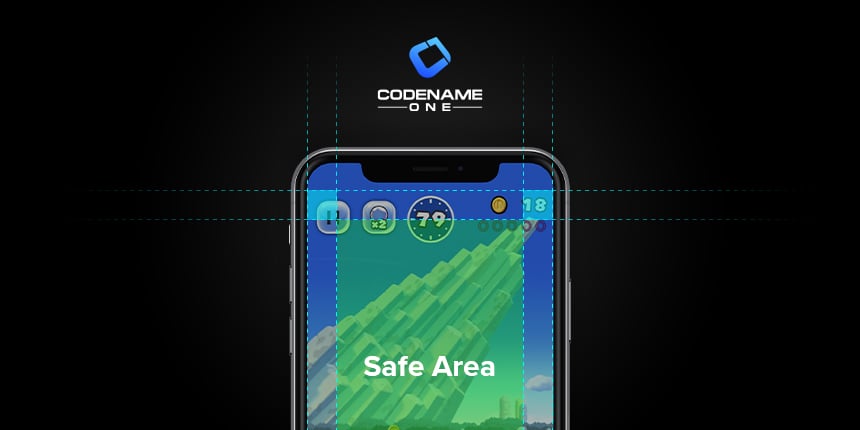
Apple is so very clever with its designs. With the iPhone X, they found way to squeeze in a larger screen without increasing the phone dimensions. The screen nearly covers the entire front face of the phone. The “notch”, as it has come to be known, may have been a practical concession (they needed to put the camera and speaker somewhere, after all) or an intentional design choice – or maybe a little of both. However the notch was conceived, it is here to stay, and we developers need to “work around” it. ...
Sign-in with Apple Support
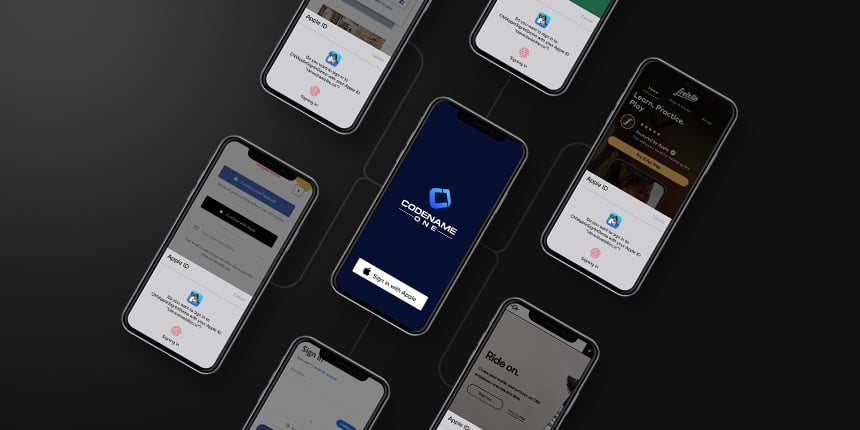
We have just finished the initial release of our “Sign-in with Apple” cn1lib, which adds “Sign-in with Apple” support to Codename One apps. On iOS 13 and higher, this will use Apple’s native Authentication framework. On other platforms (e.g. Android, Desktop, and Simulator), this will use Apple’s Oauth2 authentication service. The main motivation for adding this functionality is that Apple would require apps that use “sign in with…” to support its service too. If you won’t support sign in with Apple but include support signin with Facebook/Google your app might be rejected in the future. ...
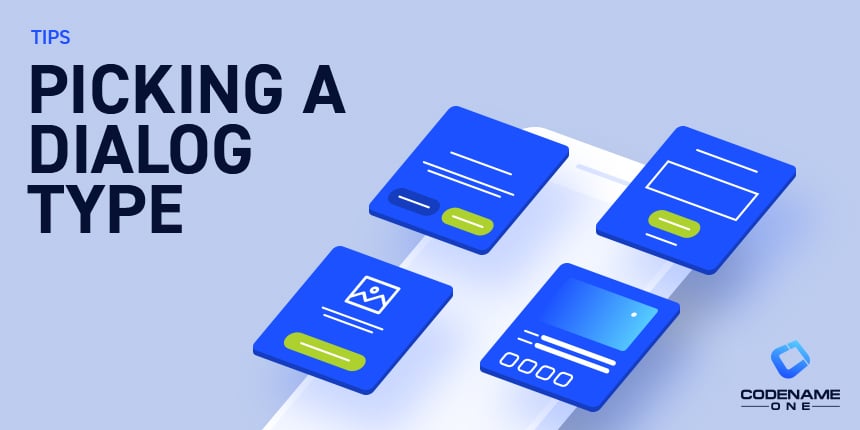
Picking a Dialog Type
The duality of InteractionDialog and Dialog is often confusing to the Codename One newcomer (and to some degree to veteran developers too). This is in part due to the multiple behavior differences that extend far beyond the “official” functionality difference. This has its roots in history that predated Codename One. In this post I’ll try to clarify the process of picking the “right one” and the tradeoffs involved. ...

Live Streaming with Codename One and Wowza
Two months ago I published the CN1Lib “Wowza Live Streaming Events”, as usual you can install that by the Extension Manager. The purpose of this CN1Lib is to add live streaming capabilities to iOS and Android Codename One apps, hiding all the complexities and reducing the effort. __ The Wowza cn1lib has been deprecated since the publication of this post However, live events are not trivial. That’s why you should read this README carefully: https://github.com/jsfan3/CN1Libs-WowzaLiveStreaming/blob/master/README.md ...
New Low-level Microphone API
Today’s blog post will delve further into our new media features. We’ve recently added an API to access raw PCM data from the device’s microphone. Previously, the media recording API could only be configured to save audio to a file. This is fine for most use cases, but sometimes it is necessary to access the the raw PCM stream directly. For example for voice recognition, or audio processing, or audio visualization. ...

Preliminary course for mobile cross-platform development with Java and Codename One
I’m Francesco Galgani, a developer and a Codename One enthusiast. Few days ago I published the first version of an Italian free preliminary course for mobile cross-platform development with Java + Codename One. I’ll probably write other articles, however the first module is complete. This course is intended for people interested in app development, but have no prior programming experience. That’s why my first article has no code, it’s preparatory to understand the magic and challenges of development. ...

Javascript Media Restrictions to be Aware Of
Codename One provides play() and pause() methods as part of the Media interface, which you can use to start and stop media clips programmatically. If you are deploying your app to the browser using the Javascript port, then you should be aware of some restrictions imposed by modern web browsers on media playback, and how to work around them. Modern browsers will only allow audio playback that is triggered by direct user interaction. This basically means that the user needs to press a button to trigger audio playback. ...