Latest posts from Codename One.
Blog
Insights, release updates, tutorials, and engineering notes from the Codename One team.

Navigate & Faster Builds
One of the things we’ve been missing is a simple “navigate” feature that allows you to launch the devices native navigation software with a fixed destination. This was relatively simple to hack together using Display.execute but that’s not the same as an official API. Chen just added two methods to Display that should really help in this process: isOpenNativeNavigationAppSupported & openNativeNavigationApp(lat, lon). This should launch the device navigation software (e.g. Google Maps) with the given destination. ...

Webservice Wizard
Simplified webservice access has long been on our todo list and we now finally have a tool that significantly simplifies server communications in Codename One to a method call level. We just posted a How Do I? video for this feature and will launch it with the plugin update next week. The feature is remarkably simple in concept, you define a set of methods and get a client class coupled with some server classes so you can invoke server functionality directly from the mobile. ...

Native iOS Code Callbacks
Writing native code in Codename One is pretty simple, however one piece is relatively vague and that is the ability to call back from native code into the Java code. The reason we left this relatively vague is due to the complexity involved in exposing/documenting this across multiple OS’s/languages so we chose to document this on a case by case basis. A common trick for calling back is to just define a static method and then trigger it from native code. This works nicely for Android, J2ME & Blackberry however mapping this to iOS requires some basic understanding of how the iOS VM works. Worse, due to the changes we made in the new VM if you are using such code you will need to adapt it as we migrate to the new VM or your code will stop working. ...

VM Updates & Webservices
We are making good progress on our new iOS VM and are starting to test a much wider range of apps. The VM is still experimental however many features that didn’t work such as native interfaces, build flags etc. should now function as expected and perform well. Build times are still longer than Android build times and this can be attributed in a large part to the screenshot process and the fact that we still have a lot to compile. The compilation is not as fast as we would like it to be due to the overhead of reference counting and GC both of which are compiled directly into the code. This means more lines of code and thus more complexity for the compiler to tackle. However, the performance is still much better and the compile times are already shorter than the original XML VM backend. ...

Facebook Publish & Android Localization
The Facebook native SDK for iOS and Android is difficult. It layers a great deal of complex permissions and concepts that seem obvious for engineers in Facebook but not so obvious for the casual observer. In the past Facebook allowed you to just request a write permission and you would receive such a permission, however recent SDK’s force you to request a read only permission which you then need to elevate to a write permission. ...

Try The New iOS VM
We just updated the build servers with the latest version of the Codename One iOS VM. This is still a work in progress and there is no guarantee your application will work. However, you can start playing with this right now and you might enjoy some of the benefits including proper stack traces, faster builds, smaller code size & faster performance. To try this just define the build argument ios.newVM=true ...
Badges
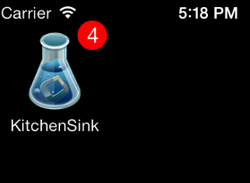
iOS allows us to send a push notification to trigger a numeric badge on the application icon, this is something you could do with Codename One for quite some time although it was mostly undocumented. You could send a push notification with the type 100 and the number for the badge and that number would appear on the icon, when you launch the app the next time the default behavior is to clear the badge value. ...

Changes & Stacks
One of the great features we’ve added to the new iOS VM is the ability to get proper stack traces without a performance penalty. This is actually pretty easy to implement in a performant way, every entry to a method just registers an integer number representing the method name and class name and every time we reach a line number in the source file we update the current line number. When throwing the exception we just assemble all of that data to produce the exception and the cost in terms of RAM/CPU is very low. ...

Beating The ARC
For the uninitiated, ARC is Apple’s term for Automatic Reference Counting. Objective-C uses a reference counting scenario to collect objects which is pretty painful to work with. Personally I preferred C/C++’s manual delete/free to the Objective-C semantics. But a couple of years ago Apple introduced ARC in which the compiler implicitly inserts the retain/release reference counting logic. While its a big improvement its still a reference counter with many of the implied limitations. It solves 95% of your memory handling logic leaving the hardest 5% for you to deal with manually but it does have one advantage over a GC: determinism. Since memory is deallocated immediately it provides consistent performance with no GC stalls. ...
Understanding Peer (native) Components & Why Codename One is so portable
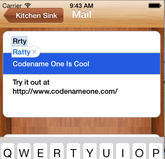
I’ve had some talks with rather savvy Codename One developers recently which made me realize that quite a few developers don’t truly grasp the reason why we have a separation between peer (native) components and Codename One components. This is a crucial thing you need to understand especially if you plan on working with native widgets e.g. Web Browser, native maps , text input, media and native interfaces (which can return a peer). ...

VM Stats
If you haven’t yet filled out the developer economics survey please do so now! We are still short of 30 entries in order to get better logo placement in the released survey. This is important since the people who read these surveys are of a demographic that’s much harder for us to reach normally. It would help us greatly if you would convince your friends to fill this out as well. Thanks. ...

Screenshots and Graphics Update
If you read the article about the 7 screenshots of iOS you might have wondered whether you can just supply these screenshots yourself? Well, now you can. Our build server will now generate the screenshots only if they don’t already exist in the jar so you will need to create the right png images in the exact resolutions mentioned below: Default.png – 320×480 [email protected] – 640×960 ...