Introduction
Part of what makes Codename One unique is its architecture. You write your app in Java or Kotlin, using the Codename One cross-platform, extensible class library, which includes a rich set of UI widgets and APIs for nearly everything a mobile app could need: location, contacts, maps, audio/video, and more.
Full Access to Native Platform and Libraries
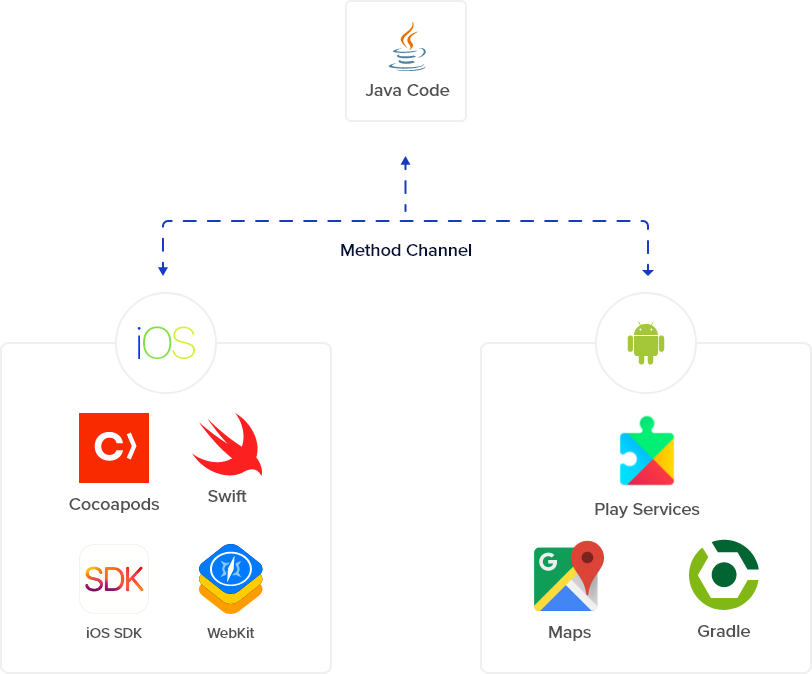
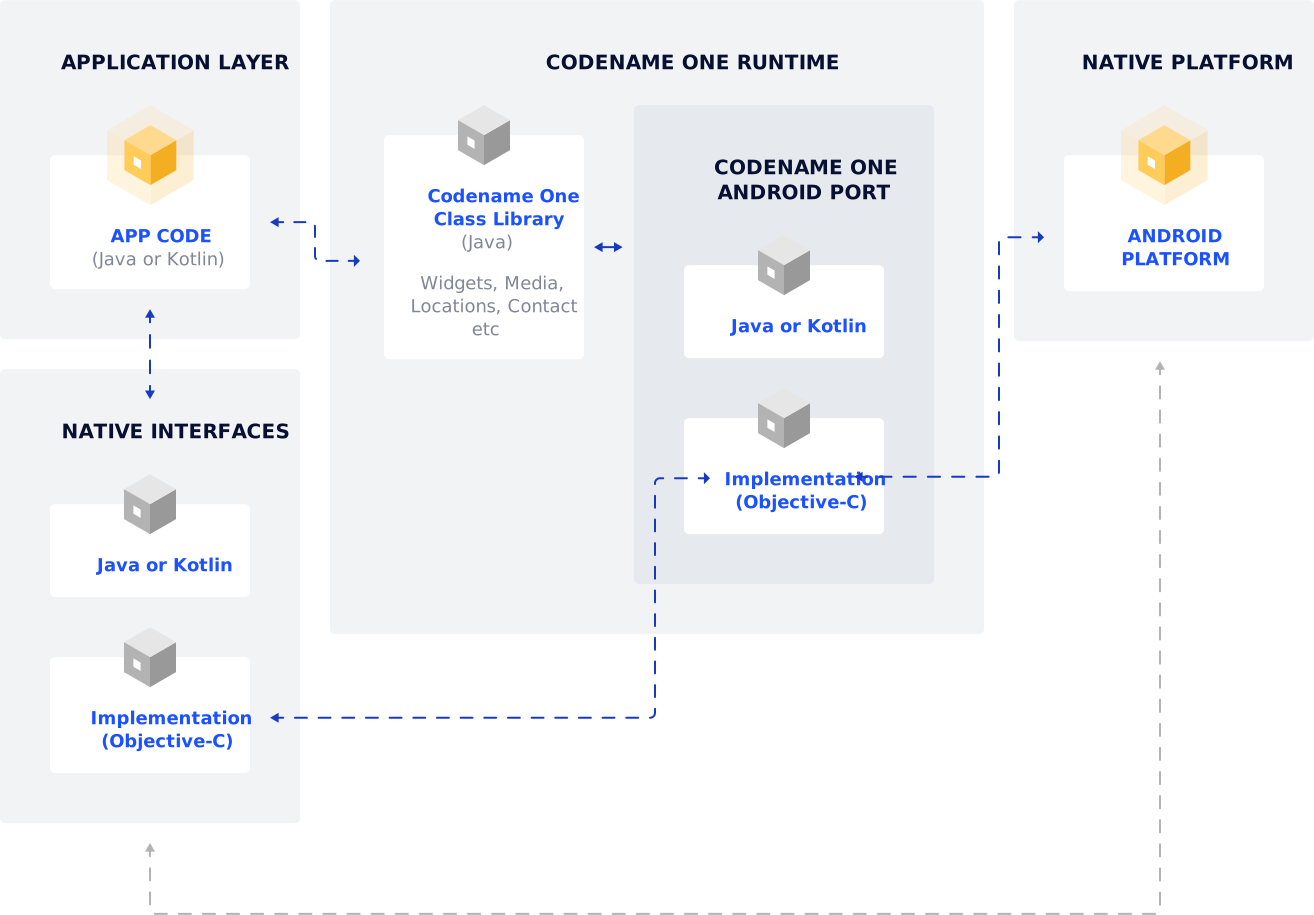
Codename One allows full access to each platform’s native APIs via native interfaces. Native interfaces are easy to create in Codename One: create a Java interface that extends NativeInterface, then use the Codename One plugin to generate stubs for native implementations.
You can then fill in those stubs with native code. Using native interfaces, you can even integrate native UI widgets into your app seamlessly.
Learn more about Native Interfaces
Codename One Runtime
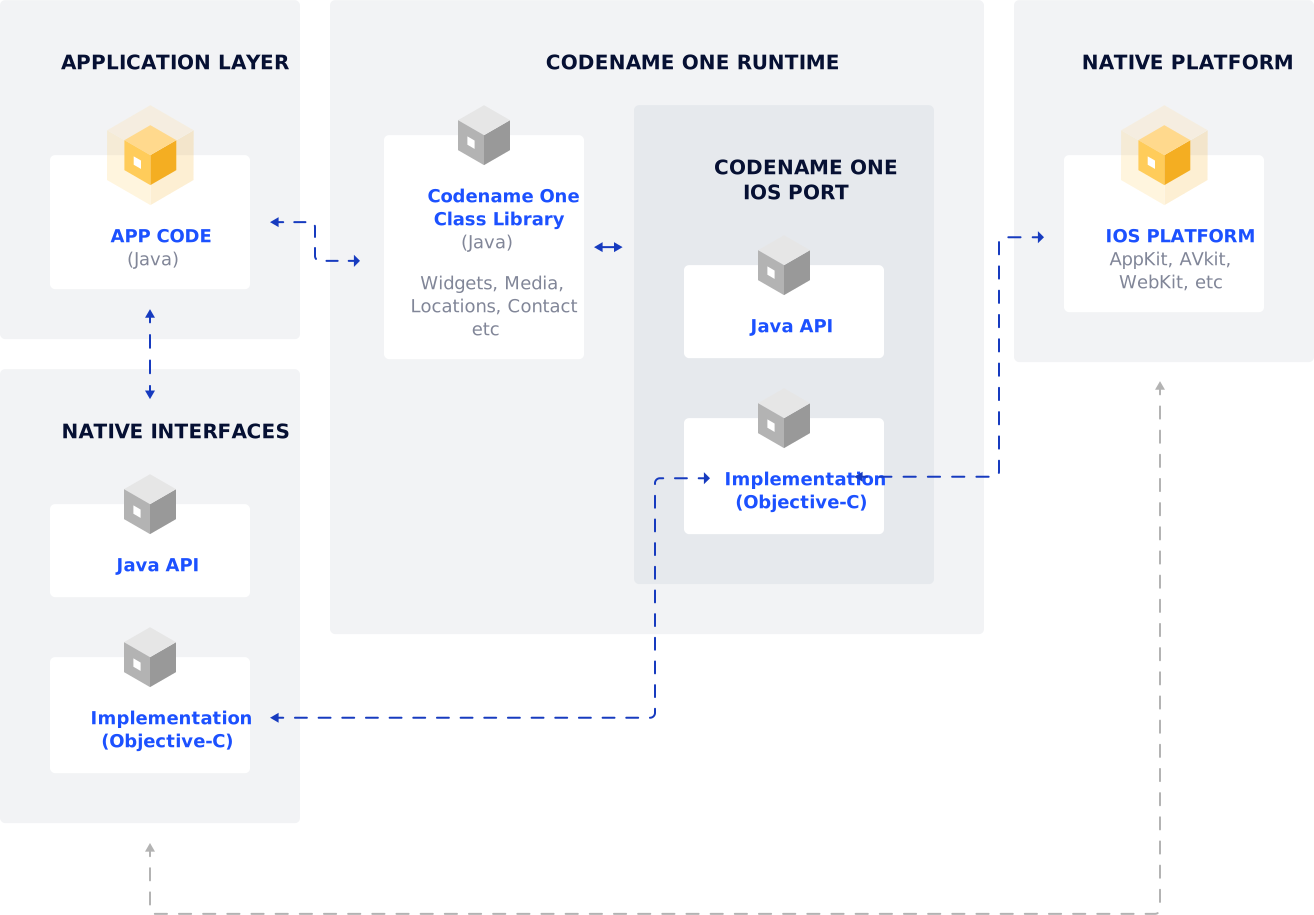
The Codename One runtime consists of two layers:
The Java class library
This includes a subset of JavaSE 8 classes (for example java.util, java.lang, and java.io), a set of UI widgets, and packages for accessing device functionality such as location, media, contacts, and maps.
The native layer
This layer is written in each platform’s native language (Objective-C on iOS, Java on Android, C# for UWP, and so on). It is the glue that allows the Codename One class library to access native APIs.

3rd-Party Libraries
You can use third-party native libraries via native interfaces. You can embed native libraries directly in your project’s native directory, or use build hints to add dependencies in CocoaPods (iOS), Gradle (Android), and NuGet (UWP).
There is already a wide assortment of cn1libs developed by both Codename One and third-party developers. Notable cn1libs include Google Maps support, WebSocket support, and Parse support.
Platform Architecture (Accordion)
iOS Architecture
Android Architecture
[
UWP Architecture
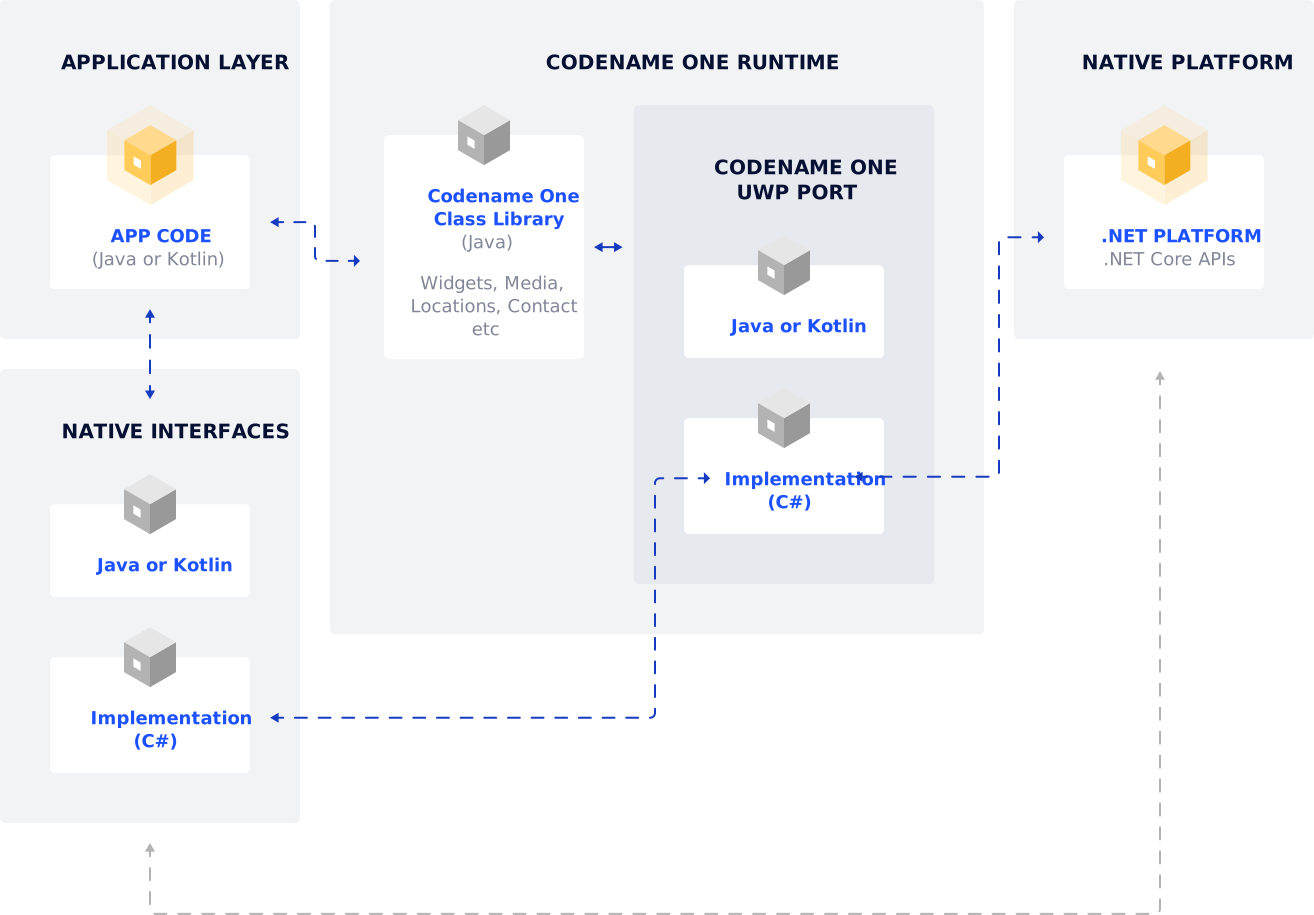
Javascript Port Architecture
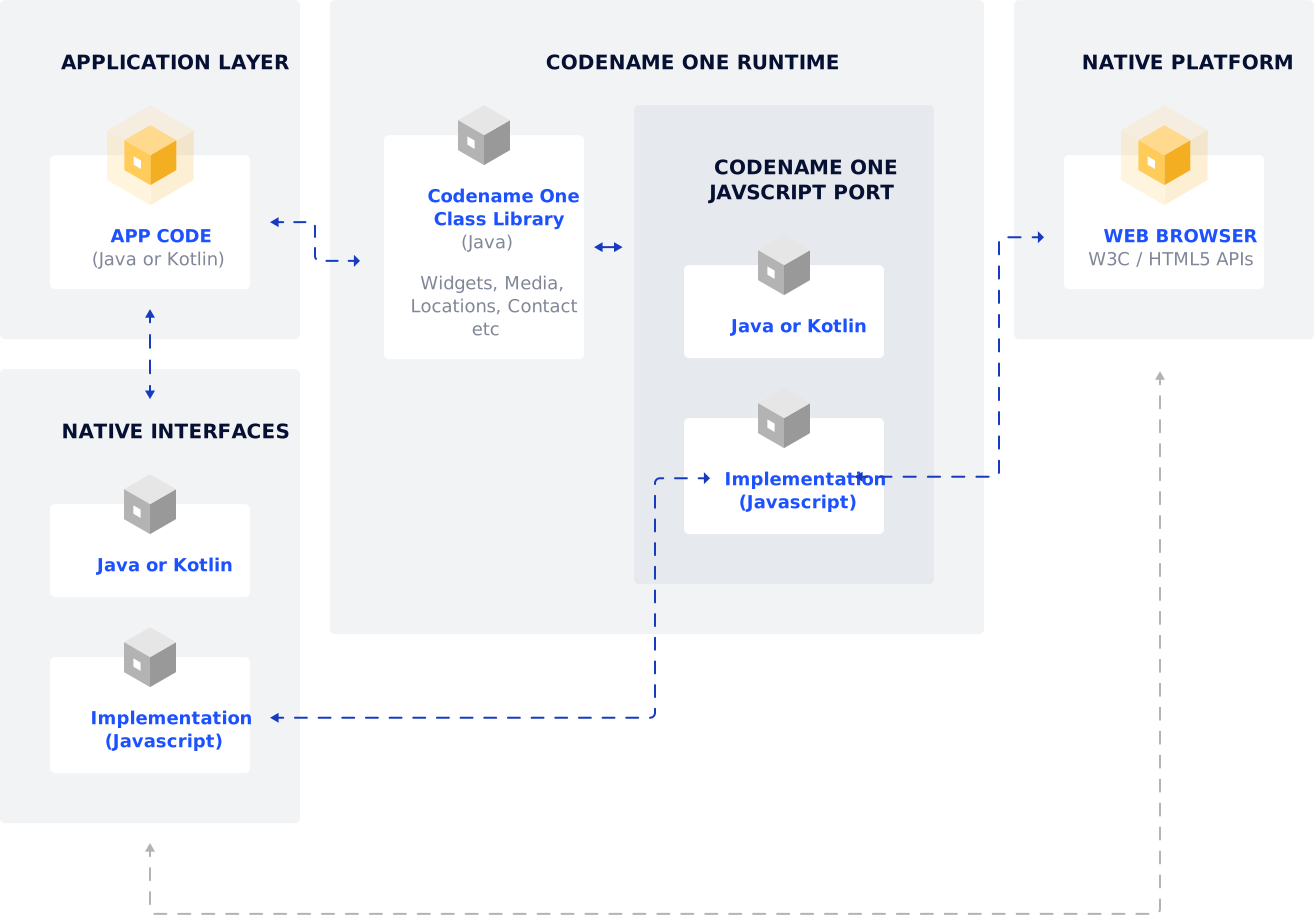
Compiled to Native
And the best part of Codename One apps is that they are compiled into 100% native code to be blazingly fast.